
|
|
+ Product list → CommView → TamoGraph → Wi-Spy → Chanalyzer → WLAN Pi → Nomad → MetageekApp → ProfiShark → IOTA → tap products → Dualcomm → penetration training equipment → password recovery → Side channel fault injection → Wireshark |
|
取扱終了しました。
Please
お問い合わせ
for details.
|
 US OSCIUM (formerly metageek) official distributor
Ikeriri sells, supports, and maintains the Wi-Spy/Chanalyzer/MetageekApp series. Not only can we offer low agent prices, but we also provide maintenance and support based on our extensive wireless LAN-related technology. Please give me inquiry(→Online) ! ! |
|
|
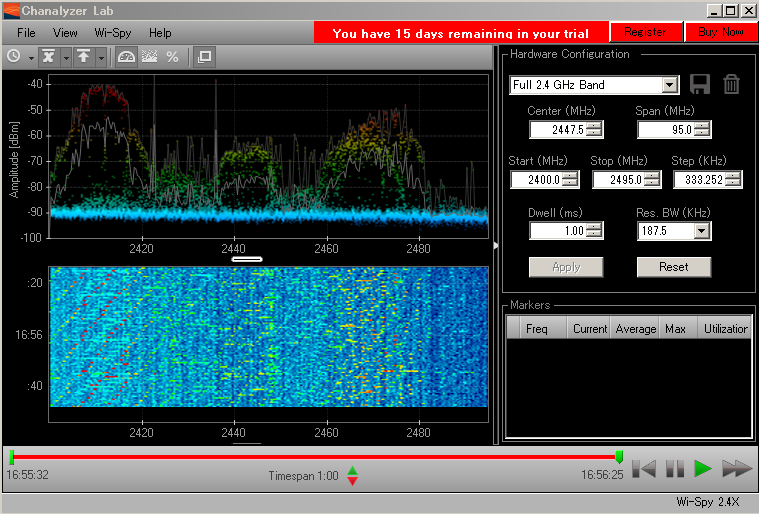
Chanalyzer Lab Old Product Ended in 2016
|
|
|
|
|
|
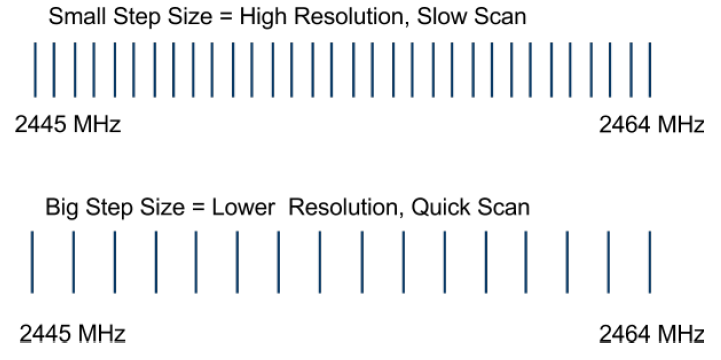
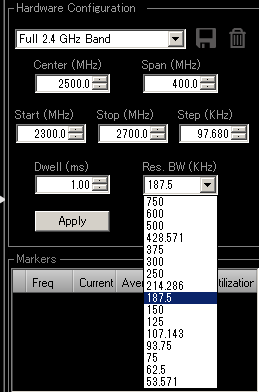
★Frequency/step/interval change function
|
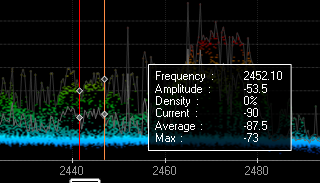
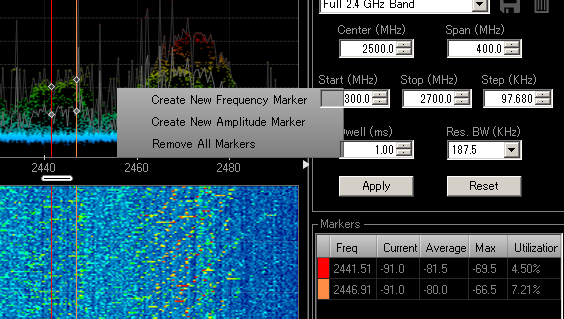
★Markers and Pop-ups By using Chanalyzer Lab, you can easily create markers to continue with regards to investigating specific frequencies and amplitudes. The created markers are useful for more detailed investigations, as the current average, maximum power dBm, utilization rate, etc. for the frequency of interest can be retrieved in a table format. You can also retrieve information about the frequency or dbm you are interested in by hovering your mouse over it. |
|