

|
|
+ Product list → CommView → TamoGraph → Wi-Spy → Chanalyzer → WLAN Pi → Nomad → MetageekApp → ProfiShark → IOTA → tap products → Dualcomm → penetration training equipment → password recovery → Side channel fault injection → Wireshark |
Authorized distributor of AccessAgility (USA)

Ikeriri sells, supports, and maintains the AWi-Spy series as an authorized distributor of AccessAgilityInc. (USA). Not only can we offer low agent prices, but we also provide maintenance and support based on our extensive wireless LAN-related technology. Please give us inquiry(→Online) ! ! |
|
|
 ACCESSAGILITY WiFi Scanner
AccessAgility's WiFi Scanner is a
wireless LAN access point detection investigation and troubleshooting tool for Windows/macOS that supports WiFi6E.
- You can filter flexibly with complex formats.
(SSID/BSSID/Output/Security/Standards, etc.)
- You can use external sensors to investigate the
wireless LAN environment of remote branches or floors.
・You can check the output session without a license
・You can copy and paste the acquired information for secondary use
・License can be used on multiple terminals per login
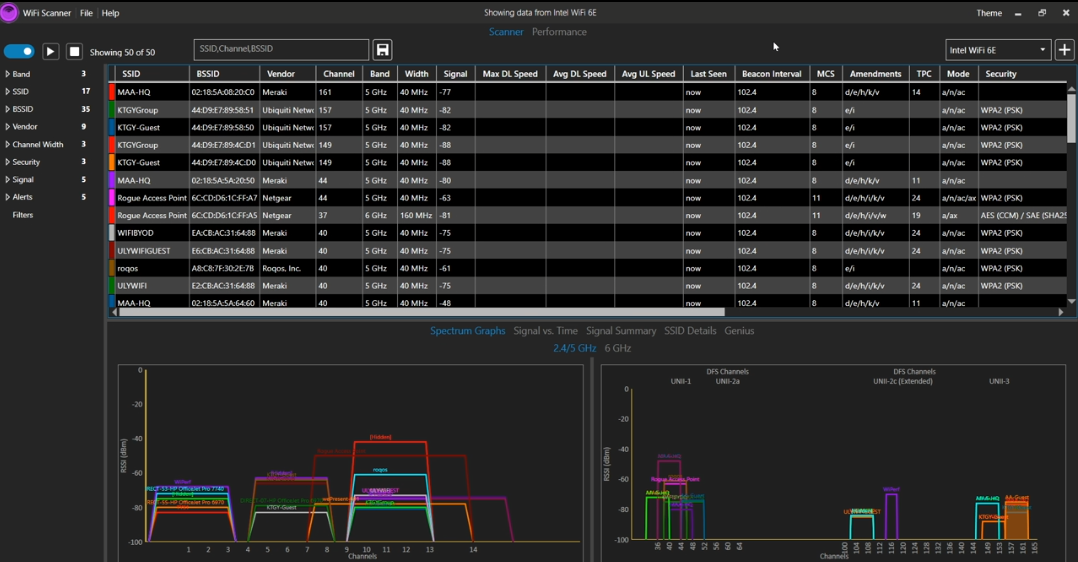
You can list SSID/BSSID/vendor/channel/band/signal strength/security and other information for all 2.4/5/6GHz bands.
You can change the columns displayed at any time. You can also check the channel assignment status.
Information can be easily copied and pasted into text, CSV, Excel, etc.
Main features
- Easily find 802.11 a/b/g/n/ac/ax compatible access points
- Supports 2.4 and 5 GHz networks (macOS version)
- 4, 5 GHz, 6 E / 6 GHZ wireless LAN network compatible (Windows version, compatible adapter required)
- Compatible with 20, 40, 80 and 160MHz bandwidths
- Display of SSID, signal strength (RSSI), MAC address (BSSID), signal quality, channel, maximum transmission speed, encryption, etc.
- Time and signal changes can be displayed graphically
- Free and powerful filter function (SSID/BSSID/output/security/standards, etc.)
- You can output wireless LAN connection status statistics in tables and graphs.
- You can set a free alias name (custom label) to the AP.
- Survey contents can be output as CSV or text.
- Reports can be output in HTML format.
- Compatible with WLAN Pi , WLAN Pi Pro , and WLAN Pi CE as external sensors
- An external LinuxBox configured with RaspberryPi and a wireless LAN adapter can be used as an information source
Speed measurement function
- It is possible to test the speed of up and down wireless LAN.
- You can run a speed measurement periodically and use it as a macro.
If the AP is compatible with IEEE802.11e such as Cisco, the following information can be displayed as additional information.
- AP alias name
- Number of connected devices
- Channel usage
- IEEE802.11r type etc.
The video is here (WiFi Scanner Demo Video)


You can narrow down your search by freely combining simple expressions to create flexible and powerful filters.
For example, you can create a filter to display only APs treated as Hiden, or to display only 2.4GHz and 6GHz.
(SSID/BSSID/Output/Security/Standards etc.)
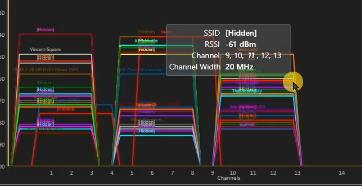
You can check the waveform information by hovering your mouse over it.
Not only can you obtain 2.4GHz/5GHz/6GHz (depending on the adapter) information from the installed terminal adapter, but you can also use information from
external sensor(RaspberryPietc.のLinux環境etc.)
.
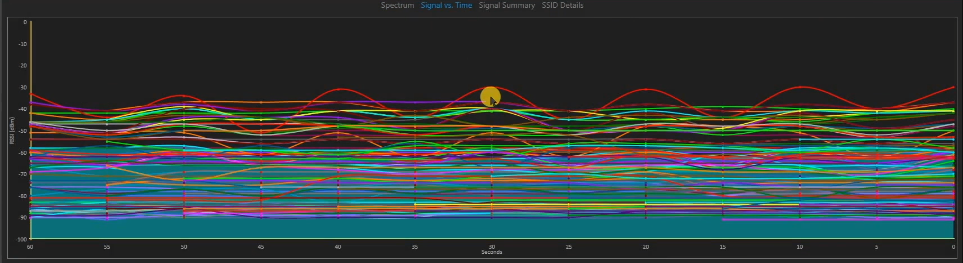
The acquired signal can be displayed graphically or analyzed.
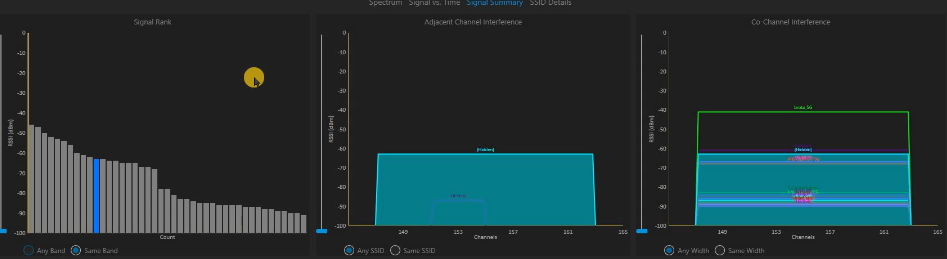
On the analysis screen, you can also check the received signal strength rank, adjacent channels, and third-party wireless LAN on the same channel.
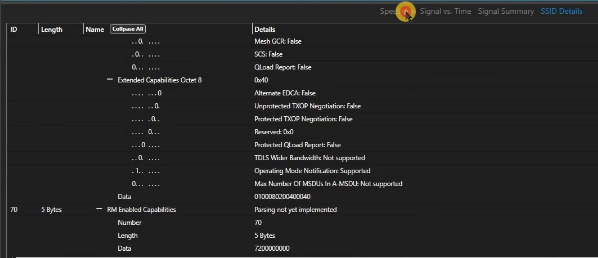
On the SSID details screen, you can check and debug by displaying detailed information such as tags in packets such as beacon packets captured by simple packets
.
It also has many other useful functions for investigating and troubleshooting wireless LANs.
ACCESSAGILITY WiFi Scanner
Download the trial version here ( WiFiScanner )
The video is
here
(WiFi Scanner Demo Video)