
|
|
+ Product list → CommView → TamoGraph → Wi-Spy → Chanalyzer → WLAN Pi → Nomad → MetageekApp → ProfiShark → IOTA → tap products → Dualcomm → penetration training equipment → password recovery → Side channel fault injection → Wireshark |
|
取扱終了しました。
Please
お問い合わせ
for details.
|
|
|
|
|
Chanalyzer5 ( Discontinued ) → Chanalyzer5 datasheet (PDF)
*Maintenance and support for Chanalyzer5 has ended in 2021.
→
MetaGeek_Wi-Spy-Chanalyzer_DataSheet
(PDF)→
Metageek Wi-SpyDBxChanalyzer materials
(PDF)
|
|
|
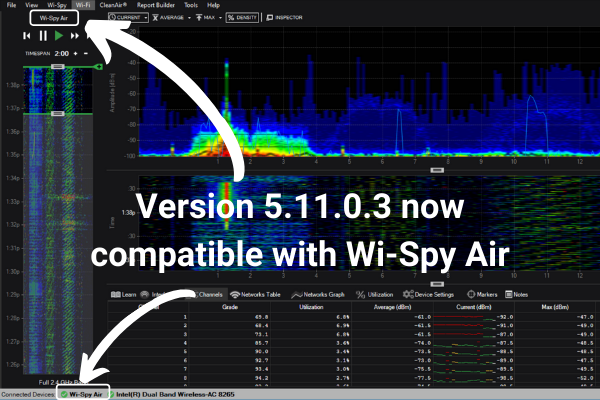
Metageek's spectrum analyzer software Chanalyzer has received a major update and Chanalyzer 5.11.0.3 has been released!
Finally supports the long-awaited WiFi 6 (IEEE 802.11ax).
|
|
|
|
|
|
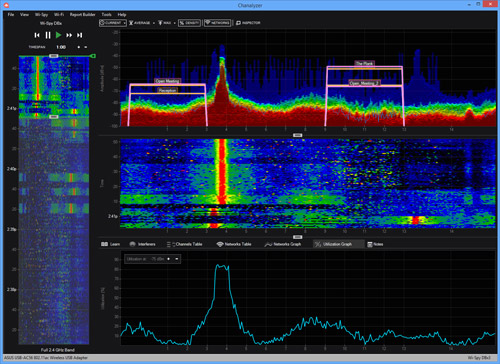
★Chanalyzer5 is Metageek's latest spectrum analyzer software. Used with Wi-Spy (2.4x/DBx).
Added functions equivalent to the previous ChanalyzerPro, including CSV output function and device discovery function. It offers the accuracy of a handheld spectrum analyzer and allows you to perform advanced analysis specialized for wireless LAN. Price: USD 349$ (please contact us) Activate and use ReportBuilder Option (+150$) allows you to create graphs and tables by adding additional options. You can also obtain information on Chanalyzer Lab (+150$), which allows you to fine-tune Wi-Spy frequency settings, and Cisco access points. Compatible with CiscoCleanAir (+450$). |
|
|
★2.4GHz/5GHz simultaneous recording Compatible with sessions, shortcuts, and outdoors
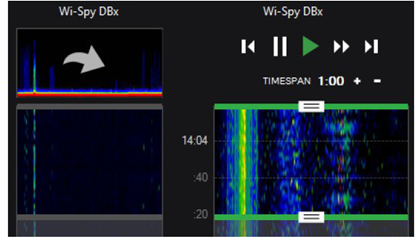
The new Chanalyzer now supports sessions. This allows you to manage and edit the acquired recordings on a session-by-session basis. Select the frequency band to be investigated in the WiSpy menu. Select, save, and rename the spectrum to be recorded on the session screen. The time range and timespan selected in Navigation will be reflected. By connecting Wi-Spy2.4x and Wi-SpyDBx, simultaneous recording of 2.4GHz/5GHz band is possible. Sessions can be divided and managed in 2-hour increments. |
|
|
★Easily check the wireless status by overlaying radio wave information and IEEE802.11 information
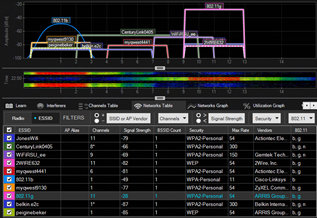
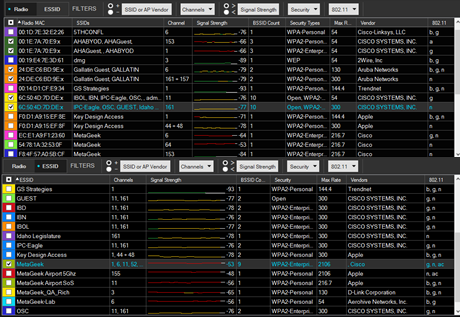
On the Networks tab, first switch between Radio, which displays physical layer information, and ESSID, which displays data link layer information. For Radio, AP MAC address SSID Channel Signal strength Number of BSSIDs Security standard Maximum transmission speed Vendor name 802.11 standard For ESSID, ESSID name Channel Signal strength Number of BSSID Security standard Maximum transmission speed Vendor name 802.11 standard Filter by +to in the filter according to the conditions Filter by SSID/Vendor name/Channel/Signal strength/Security/802.11 standard to switch the display. |
|
|
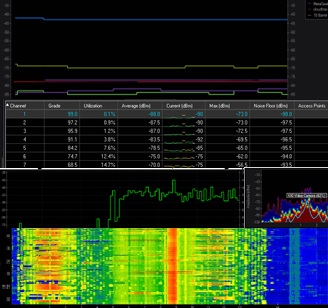
★Utilization rate and surrounding channel status can be displayed in graphs
Utilization Band usage status DeviceFinder Overview screen Displays the power of the range selected Current (current) Average Yellow Max (red) Density (frequency red > green > blue) Network (displays SSIDs overlapping) Device (devices detected with Interfere) Inspector (detailed information on mouse position) The bottom of the screen is the range selected with Timespan This will take you to the Waterfall screen, which displays time-series statistics. |
|
|
★Interferer Identifier Function
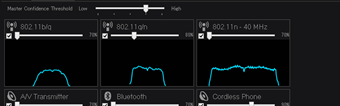
Wireless has spectrum characteristics depending on its radio wave type. For example, in IEEE 802.11b, which uses the direct-sequence method, the spectrum can be observed from the center frequency in a bowl-shaped manner. Also, in IEEE 802.11g and IEEE 802.11a, which use 20MHz wide OFDM, a rectangular spectrum can be observed from the center frequency by using subcarriers. By using these known spectra, Chanalyzer allows you to perform comparative analysis with the actually observed spectrum. There is also information on RFID readers and ZigBee equipment, which you can discover and locate. |
|
 US OSCIUM (formerly metageek) official distributor