

IEEE802.11a/b/g/n/ac compatible packet capture wireless LAN packet capture Eye P.A.

This page keeps all original information and links. Japanese page

EyePA
EyeP.A. (Eye Packet Analyzer)
IEEE802.11a/b/g/n/ ac Compatible Packet capture
Wireless LAN analyzer Visualization Statistical investigation

Discontinued. Integrated with successor MetageekApps .


Introducing wireless LAN packet capture and convenient filters by EyePA (Youtube)

EyePA2

V2 supports IEEE802.11AC (80MHz) and multiple adapters for simultaneous packet capture
2020/5/6 最新V.2.3 has improved performance by more than twice the speed and low memory
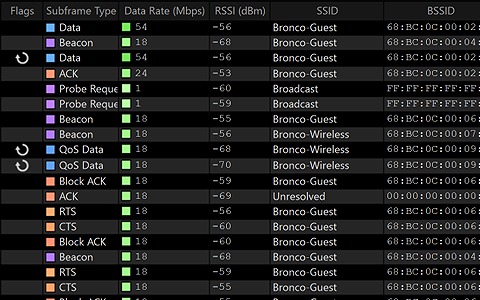
MCS index in the packet table and number of spatial streams
File division every 500,000 packets.


EyeP.A. is a wireless LAN analyzer (visualization software) compatible with IEEE802.11 a/b/g/n/ac from Metageek. Can be linked with Wireshark.

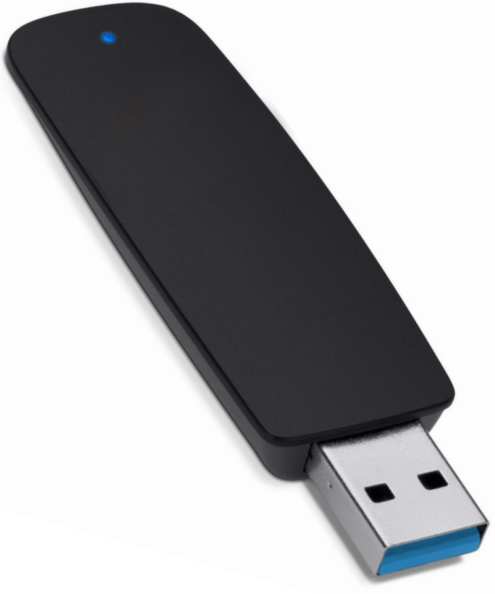
EyePA uses its own monitor mode driver to capture IEEE802.11 a/b/g/n/ac packets in a Windows environment. (Compatible capture card required) → details
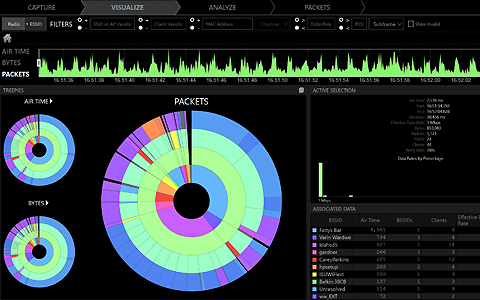
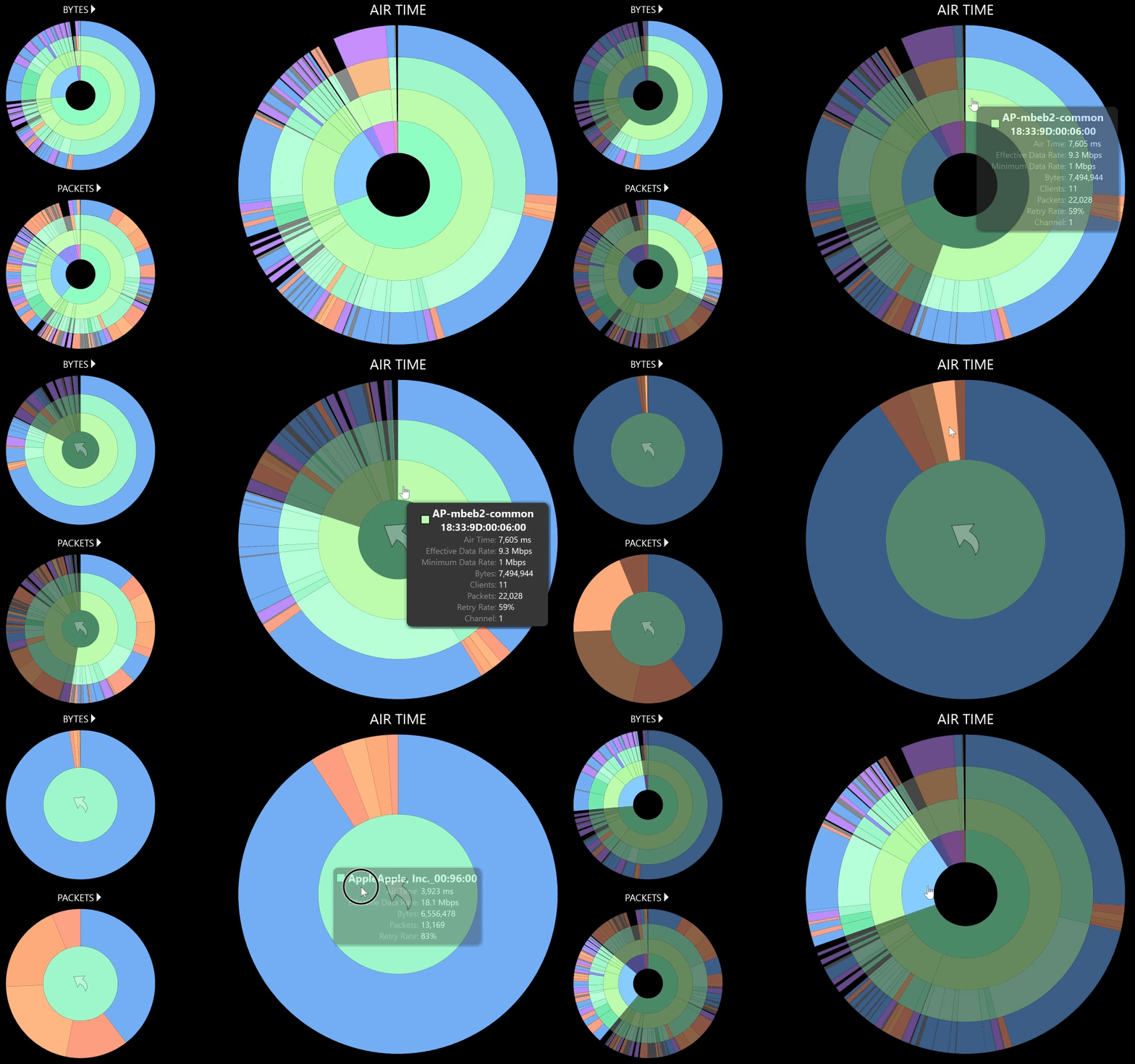
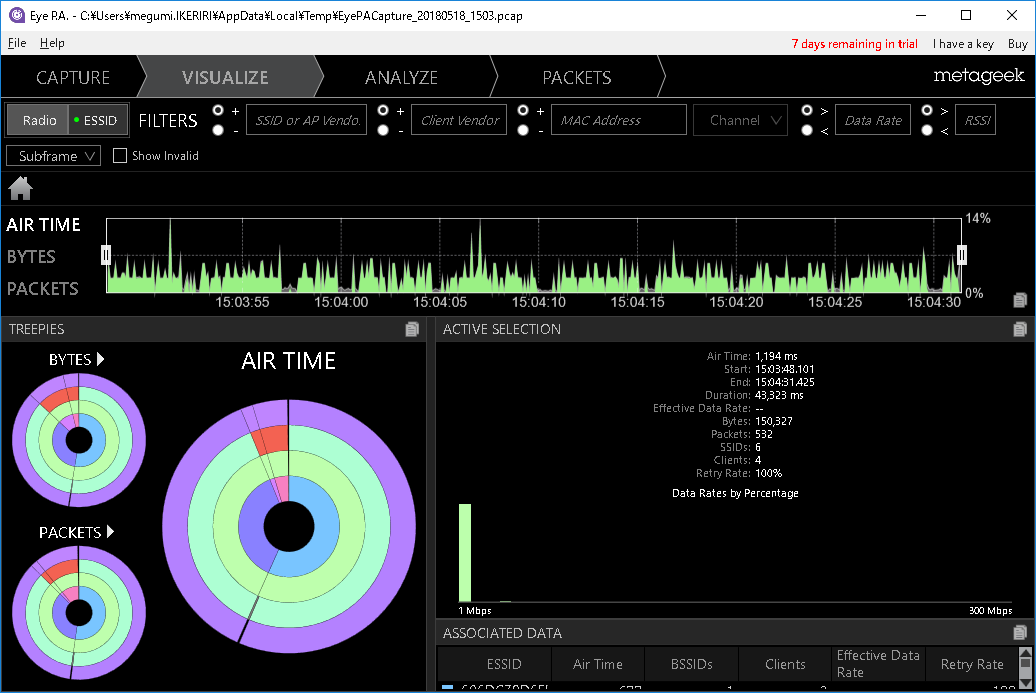
EyePA allows anyone to easily analyze and investigate wireless LAN packets with its unique pie chart UI.

EyePA data sheet (PDF)
EyePA User Guide (PDF)
Download (ikeriri)
Download (Metageek)
Video introduction (Youtube) Japanese

Ryan-san
MetaGeek
Ryan Woodingsさん
@Sharkfest12
Stanford univ.

US OSCIUM (formerly metageek) official distributor
Ikeriri sells, supports, and maintains the Wi-Spy/Chanalyzer/MetageekApp series. Not only can we offer low agent prices, but we also provide maintenance and support based on our extensive wireless LAN-related technology. Please give me inquiry(→Online) ! !
EyePAChart

Eye P.A. can capture
packets of 2.4GHz and 5GHz IEEE802.11a/b/g/n/ac.
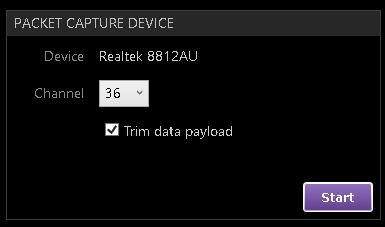
EyePA-Realtek8812AU
*Also compatible with conventional RiverbedAirPcap.

Eye P.A.
Chanalyzer
Tonic

Offered as a Metageek Enterprise Suite subscription.

Adapter
Uses a USB wireless LAN card that supports monitor mode


EyePAChart

Powerful packet visualization

Unlike typical protocol analyzers, Eye P.A. uses multi-layered pie charts to visualize network traffic. This allows you to quickly check the wireless usage rate, access point, client device, and packet type for each channel.

With just a few clicks, you can find problematic equipment without having to sift through hundreds of lines of packets.

Identify and manage Pakeros

Packet loss tells wireless devices to retransmit data, which impacts WiFi throughput and the bandwidth of the wireless channel used by all clients.

EyePA can easily identify the source of packet loss, understand why devices are retransmitting, and help you operate your network at optimal data speeds.

EyePA Loss

EyePA

Measure bandwidth capacity and congestion

Each wireless LAN channel has limited capacity, so efficient wireless usage is essential for high-performance WiFi. EyePA measures data speeds so you can spot slow devices that are congesting your network.

Once identified, devices can be reconfigured or removed to free up valuable network bandwidth.

Correct network misconfiguration

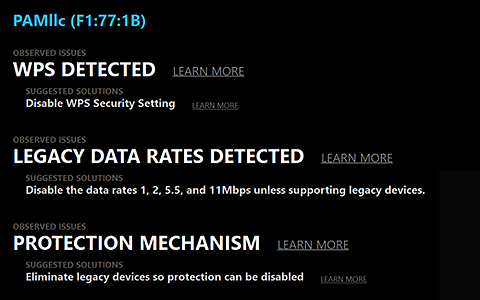
There are many things to consider when implementing a wireless LAN, and it is also necessary to look over the settings from time to time. EyePA helps detect and fix common WiFi configuration issues.

For example, it will report non-standard channels, slow speeds, security issues, etc. and help you fix any misconfigurations.

EyePA

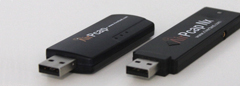
Adapter AirPcap

Pakecap IEEE802.11AC in
monitor mode

EyePA can capture
IEEE802.11a/b/g/n/ac packets at 2.4GHz and 5GHz.

EyePA alone can capture wireless LAN packets using a monitor mode capture adapter or AirPcap series without the need for a special program. → hereを確認 please

EyePA-Realtek8812AU
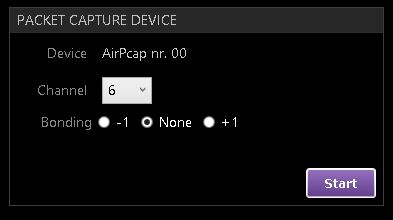
EyePA-AirPcap

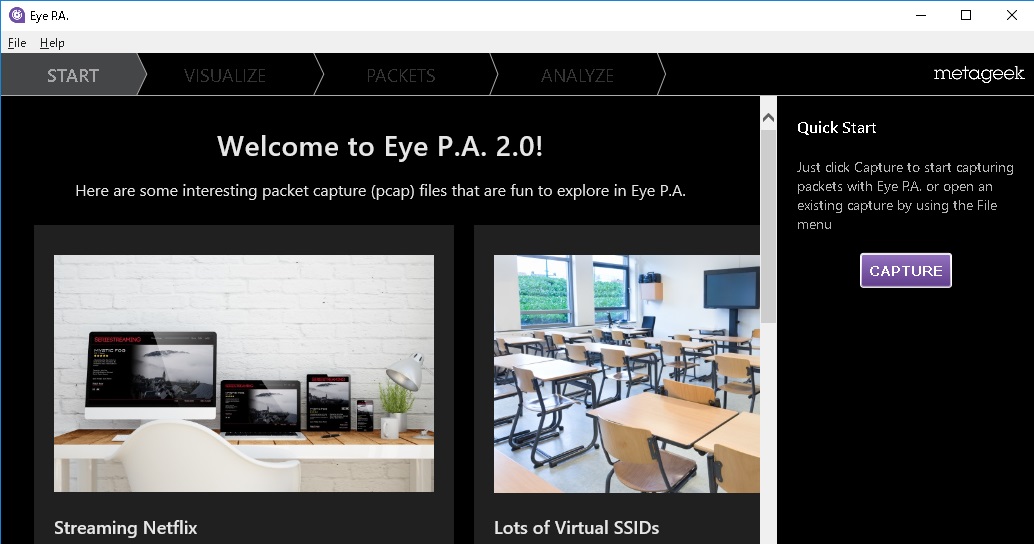
Start and confirm capture

The upper left screen is an example of a compatible adapter
→For adapters, please contact hereを確認
The lower left screen is an example of connecting AirPcapNX

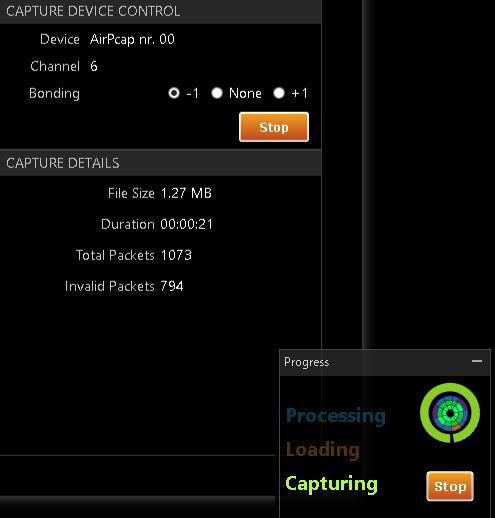
Device name in Device, channel
Check whether to discard the second half of the payload part of the data frame in Trim data payload. Specify channel bonding settings for
Bonding. (For AirPcap) Click "Start" to begin capturing.

EyePA-capture

キャプチャ中には、ファイルサイズ、時間、全パケット数、不正パケット数が表示されます。
Click "Stop" to end the capture.
EyePA-pcap
Username\AppData\Local\Temp\EyePACapture_Date_Time.pcap file will be created and the EyePA screen will start.

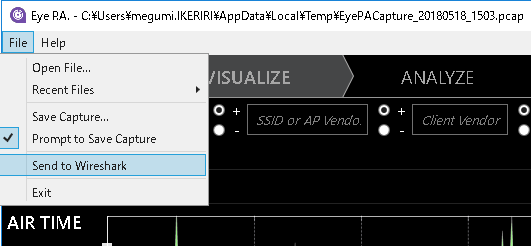
Wireshark

Starting Wireshark

By selecting "Send to Wireshark" from the file menu, you can easily start Wireshark and open the packet capture file.

wireless lan pakecap Packet capture practical techniques 2nd edition Introduction to Wireshark
Wiresharkに関連する実績 is here
Major books on Wireshark その他の書籍はhere 雑誌etc.はhere

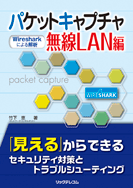
パケットキャプチャWireless LAN編 ― Wiresharkによるanalysis ― Written by Megumi Takeshita
BB5 size 400 pages List price: 3,600 yen + tax ISBN: 978-4-86594-029-9
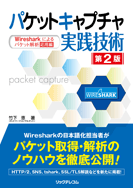
パケットキャプチャ実践技術 第2版 -- Wiresharkによるパケットanalysis応用編 竹下 恵 著
B5 size 480 pages List price: 3,400 yen + tax ISBN: 978-4-89594-097-8
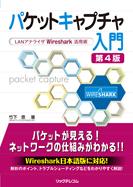
パケットキャプチャ入門 第4版 ―LANアナライザWireshark活用術―
B5 size 464 pages List price: 2,800 yen + tax ISBN: 978-4-86594-139-5

Packet capture goes to Ikeriri

At Ikeriri★Network Service, we actively support the open source packet capture software Wireshark (ワイヤーシャーク http://www.wireshark.org) and provide various types of support as part of our business. Please feel free to contact us regarding Wireshark utilization, development, debugging, security, troubleshooting, education, etc.
Our company has been involved in the Ethereal community since the 1990s, as we were an agency for CACE Technologies, to which Gerald Comb belonged, and since 2002, the name has changed to Wireshark, and we have continued to participate and present at developer conferences since the first time. In addition to Japaneseizing the QT version of Wireshark, we also use Pakecap to provide troubleshooting, statistics, analysis, reporting, security research, and education.
Our company Takeshita has translated the QT version of Wireshark into Japanese after Wireshark 2 (1.99) series! We perform statistics, analysis, reporting, security research, and training using packet capture. We create a baseline based on packet captures taken at the customer's site and perform network security statistics, analysis, and reporting, as well as network and security troubleshooting. We also provide technical support regarding capture environments and analyzes using other tools, tapping, and hardware.
We also provide basic and advanced training on Wireshark packet capture and troubleshooting for customer engineers. We also provide flexible support according to customer requests. Please also see the ラーニング and training pages.
Please feel free to contact お問い合わせ (person in charge: Takeshita). → info@ikeriri.ne.jp

EyePA

End of sale in 2022 Integrated with MetageekApps .

System Requirements
OS: Microsoft® Windows 10, 8, 7, Vista
.NET FRAMEWORK: 4.5
Works with MAC OS virtualization: VMware Fusion, Parallels
Required memory: 4 GB
Resolution: 1024x600 (1366x768 or higher recommended)
Packet capture: Compatible Wireless card or AirPcap Nx
Internet connection required for activation

EyePA data sheet (PDF) EyePA User Guide (PDF)
Download (ikeriri) Download (Metageek)
Introducing wireless LAN packet capture and convenient filters by EyePA (Youtube)