

|
|
+ Product list → CommView → TamoGraph → Wi-Spy → Chanalyzer → WLAN Pi → Nomad → MetageekApp → ProfiShark → IOTA → tap products → Dualcomm → penetration training equipment → password recovery → Side channel fault injection → Wireshark |
Ikeriri is an authorized distributor of US netool company

As an authorized distributor of US company Netool.io , we handle netool.io Pro2 and netool.io Lite which can easily perform packet capture, LAN investigation, and cable test on iOS and Android. Not only can we offer it at a low price, but we also provide maintenance support. inquiry please! ! |
|||
|
nettool.io is a NW device configuration, LAN tester, packet capture, cable tester, and LAN investigation tool that runs on iOS and Android. You can connect to the local LAN with your iPhone, iPad, Android device, or tablet to configure routers and switches, investigate the network, and perform packet capture.
|
||
|
|
|||
|
|
netool.io Pro2
|
|
Network device settings
|
|
|
|||
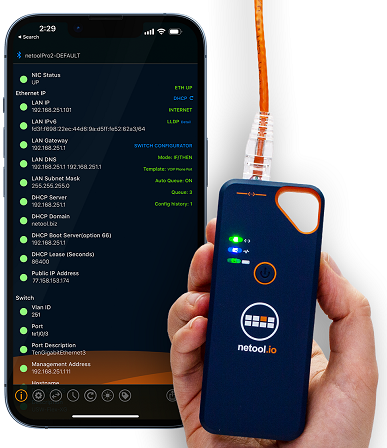
Introduction of main functions
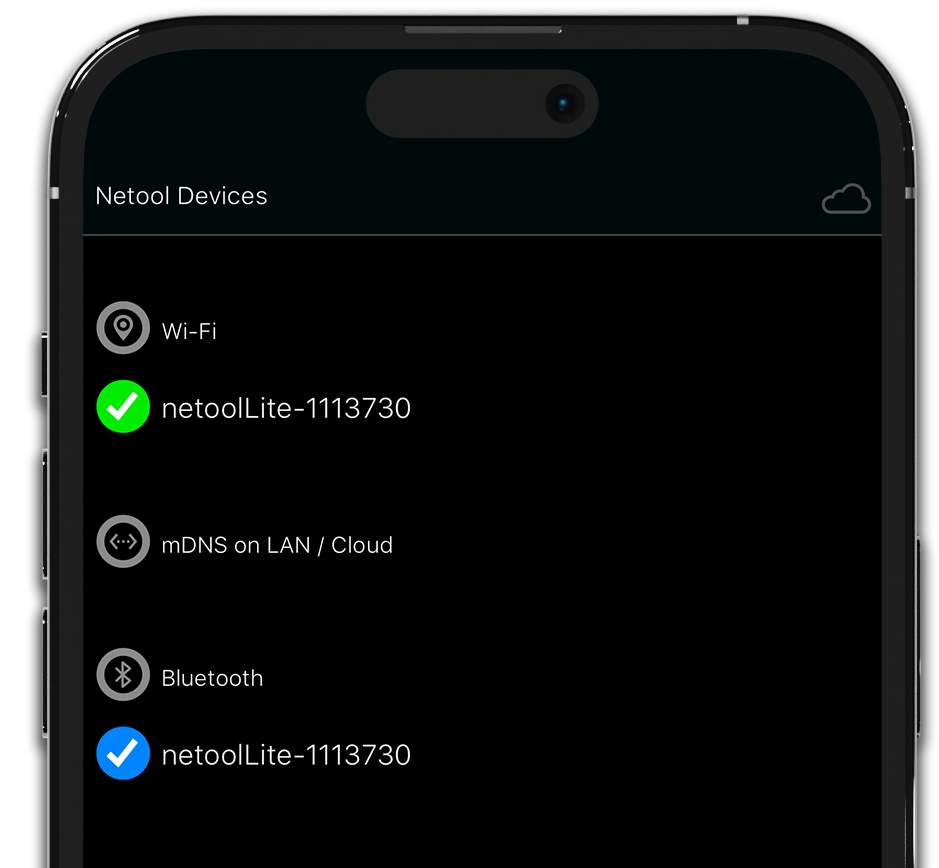
|
スマートフォンやタブレットにconnection
Connect to
|
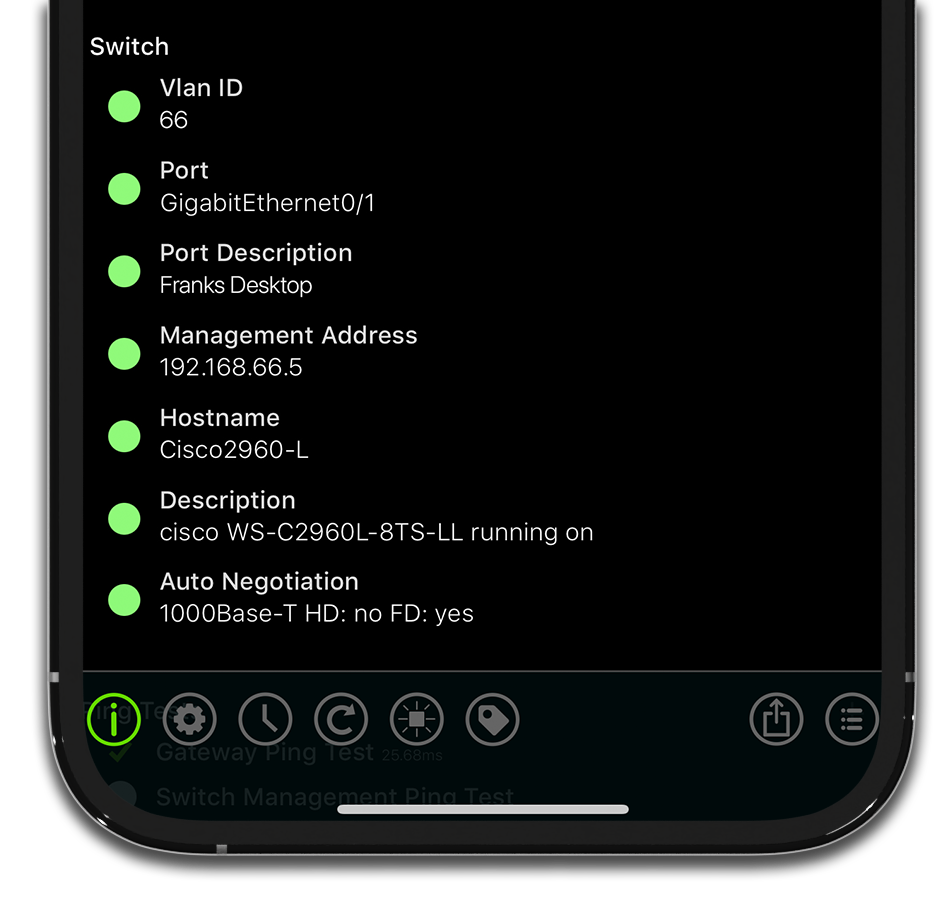
|
Ethernetスイッチのポート情報の取得
|
|
|
iPhone / iPad
Connect to
|
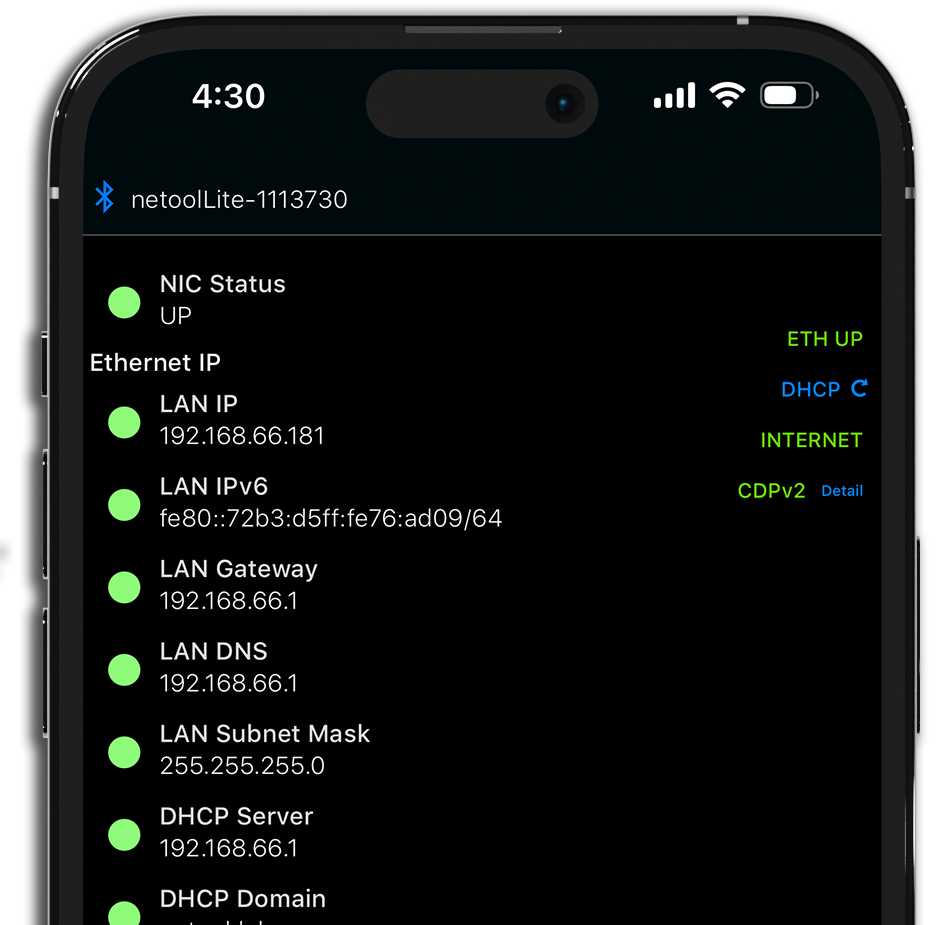
|
Obtain DHCP information
Obtain IP from DHCP server IPv4/IPv6 address Subnet mask/default gateway DHCP server name Domain name WINS server NTP server Lease time Other various DHCP options Get information such as |
|
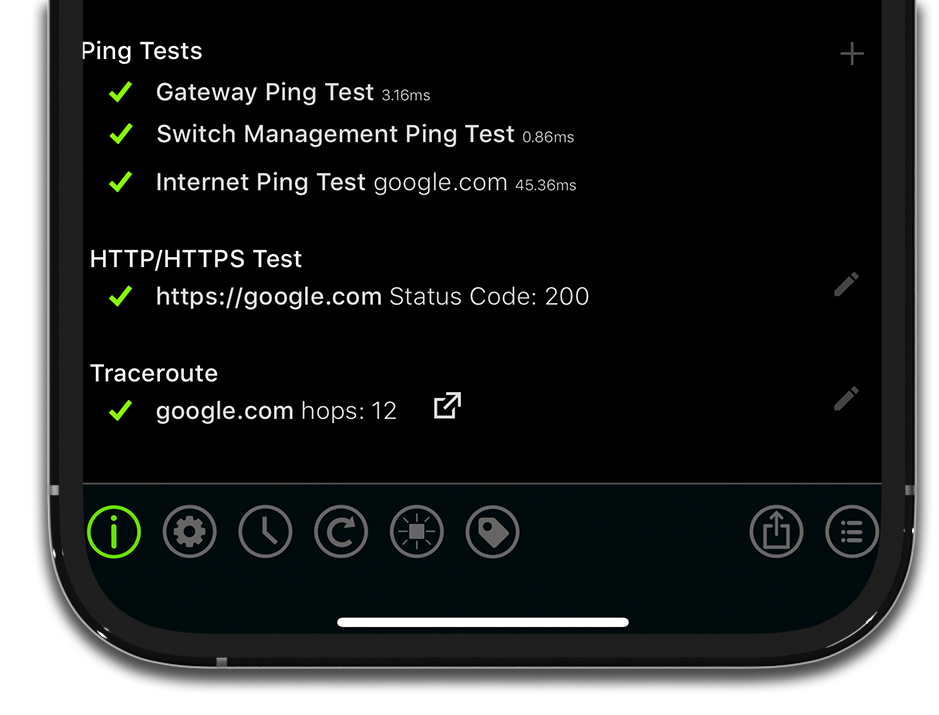
インターネットconnectionテスト
Run Ping
|
|
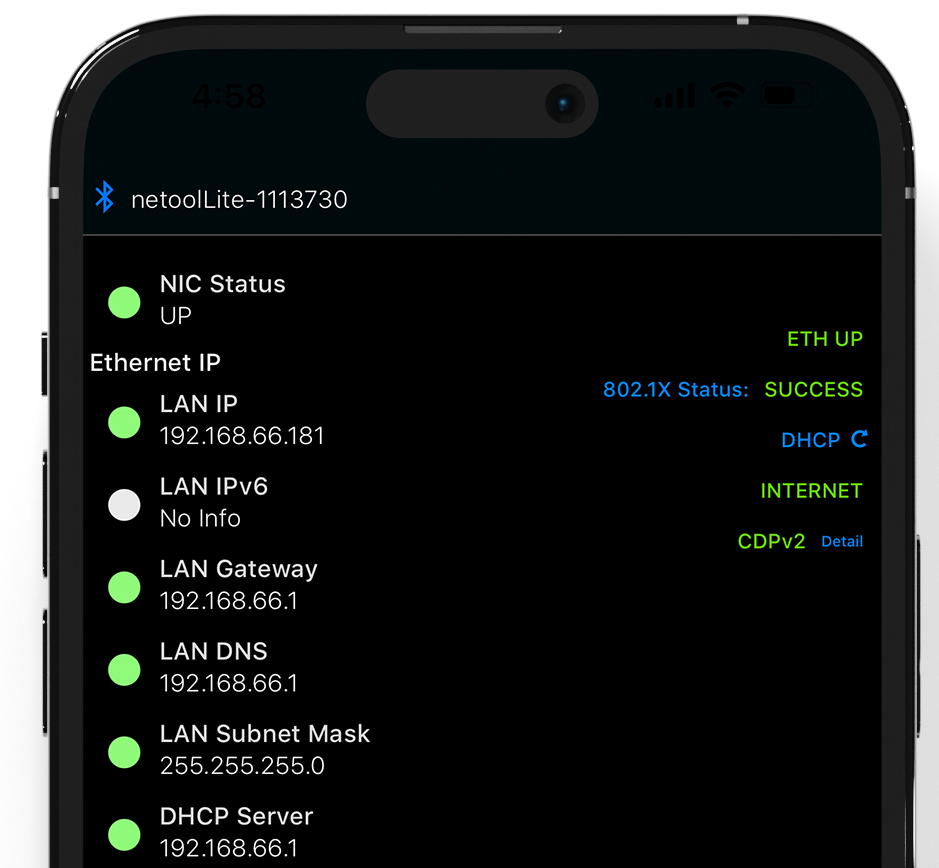
802.1X認証VLANテスト
Execute 802.1X authentication Test connection (user name and password saved OK) Confirm IPv4/IPv6 address Subnet mask DNS server DHCP server You can check information such as assigned VLAN ID . |
|
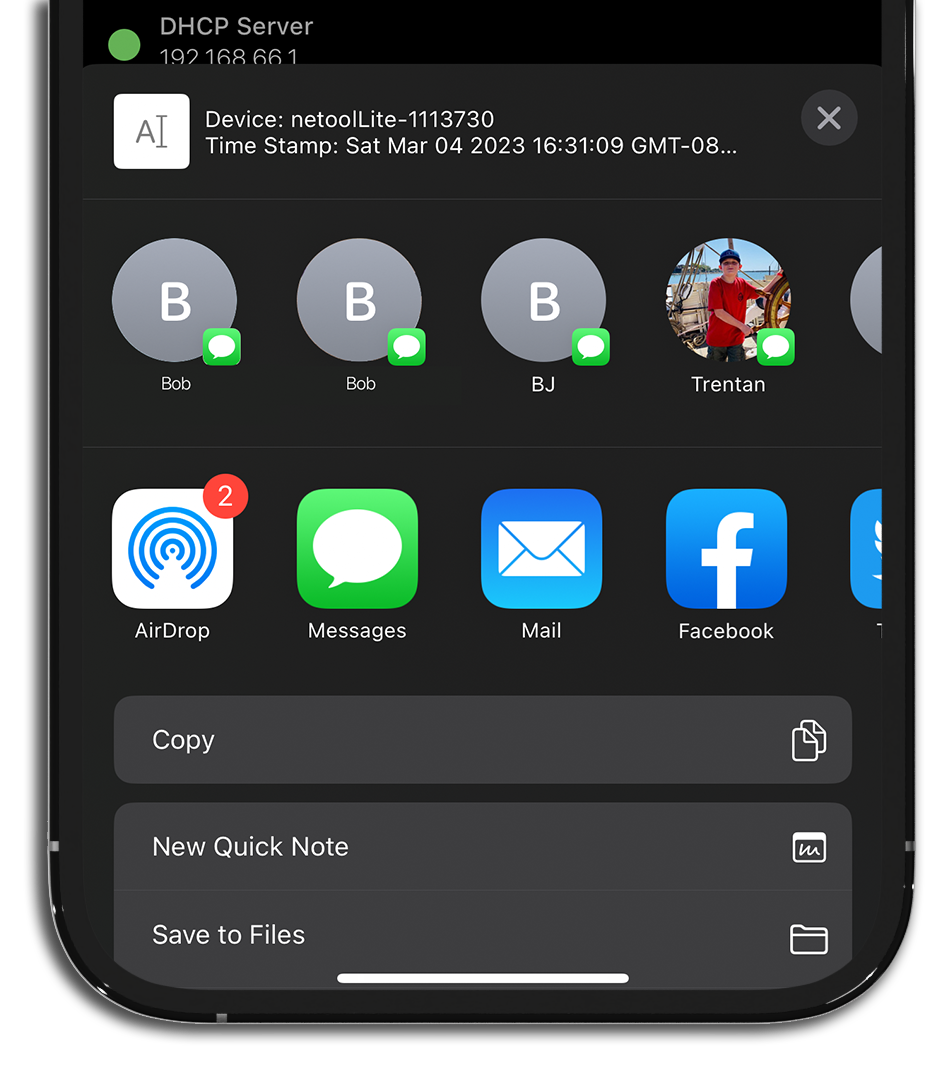
情報の共有
Obtained logs, information, and packets (Pro version) can be shared using smartphone sharing functions such as Messenger AirDrop Various SNS File save . |
|
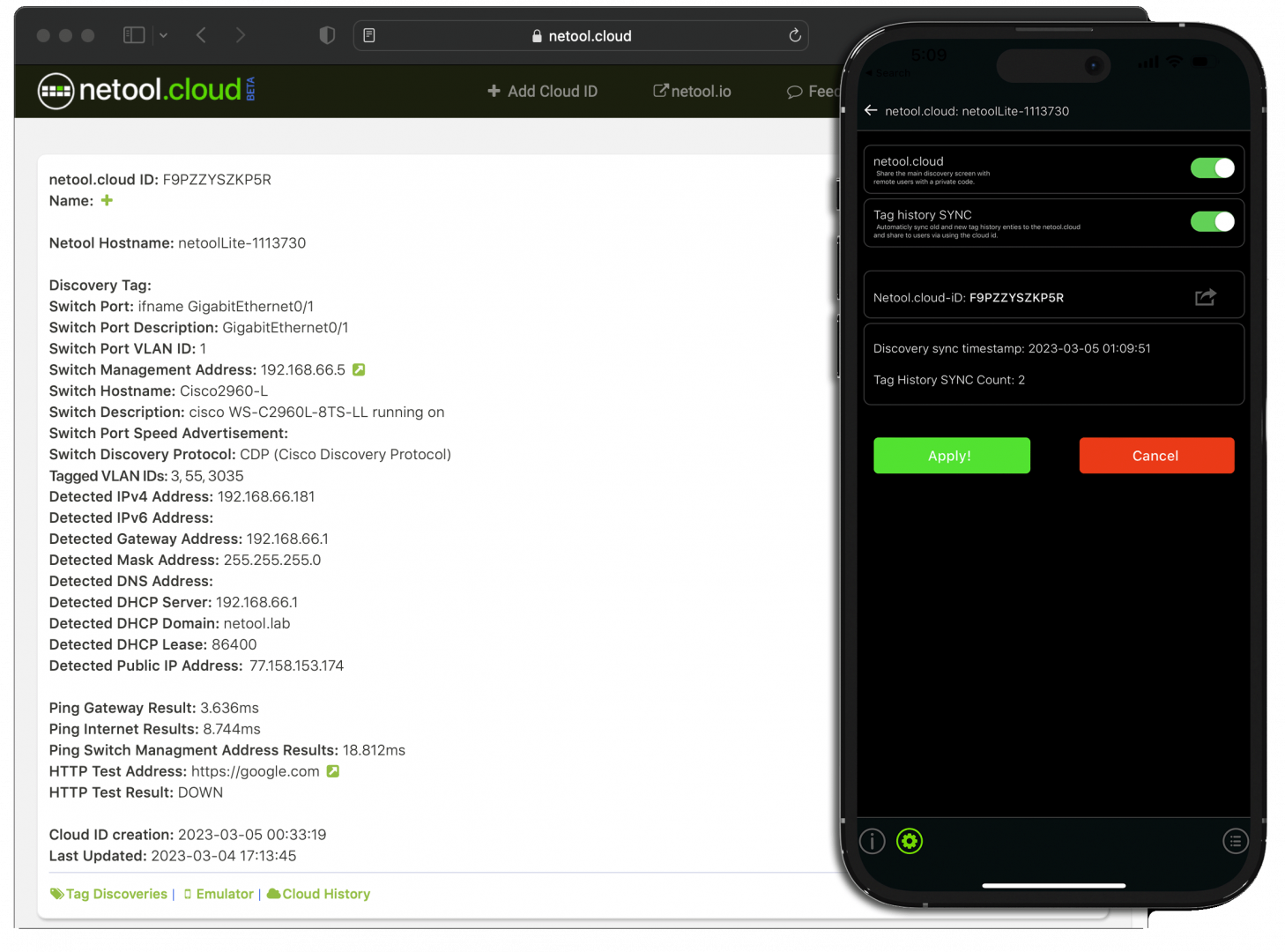
クラウドcompatible
Connect to nettool's cloud and You can synchronize and check the acquired data You can save and check past measurement data Supports two-factor authentication |
|
|
情報の共有
Obtained logs, information, and packets (Pro version) can be shared using smartphone sharing functions such as Messenger AirDrop Various SNS File save . |
|
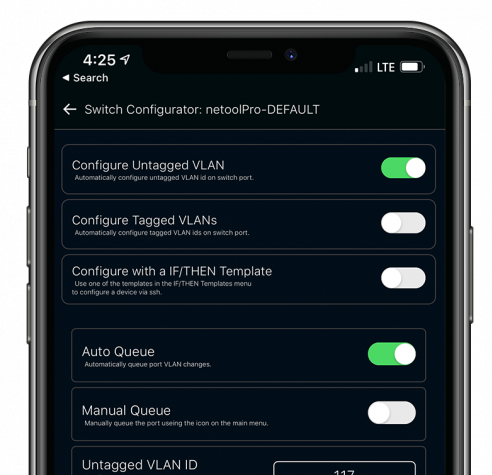
ポートベースVLAN(タグなしポート)
のconfiguration自動化(Pro版) About compatible switches and routers Untagged VLAN (port-based VLAN) can be set. *Can be configured even if it is not a management VLAN (compatible models) Setting to any port-based VLAN VLAN settings can be automated (LLDP/CDP usage/compatible models) Check VLAN/port from history VLAN settings OK even if you do not know commands |
|
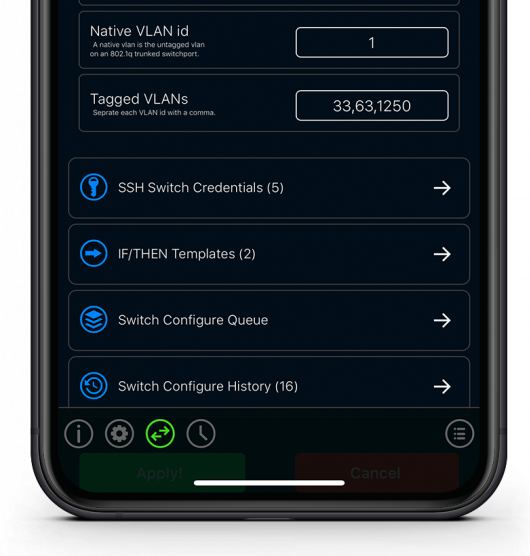
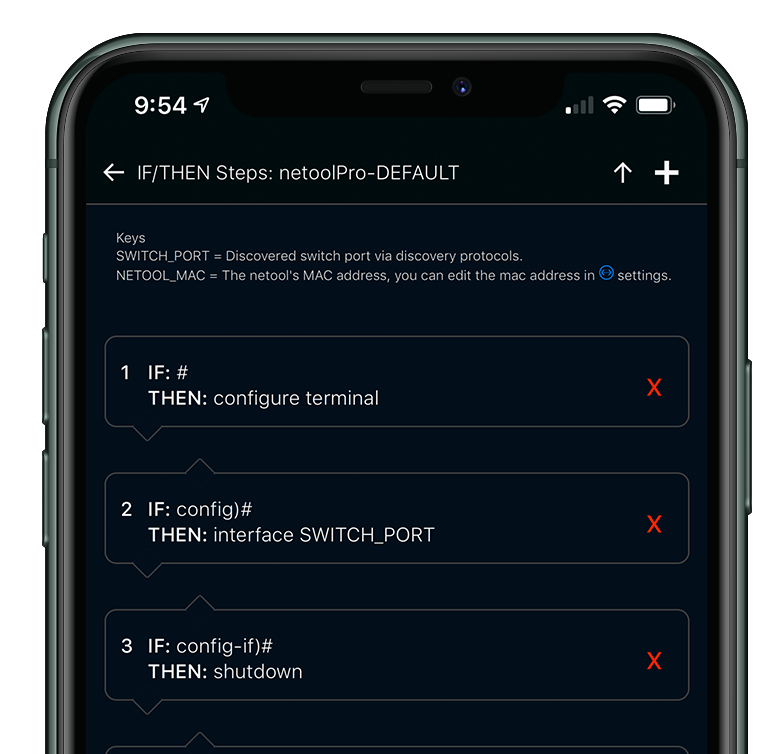
タグポートの機器configuration自動化(Pro版)
You can set tag VLAN for compatible switches and routers. *Can be set even if it is not a management VLAN (compatible models) Automate the queue (allocation) of tag VLANs based on the information obtained from packets Super convenient for installing access points, etc.! Arbitrary tag VLAN assignment (queue) is also possible (LLDP/CDP usage/compatible models) Check VLAN/port from history VLAN settings OK even if you don't know the commands |
|
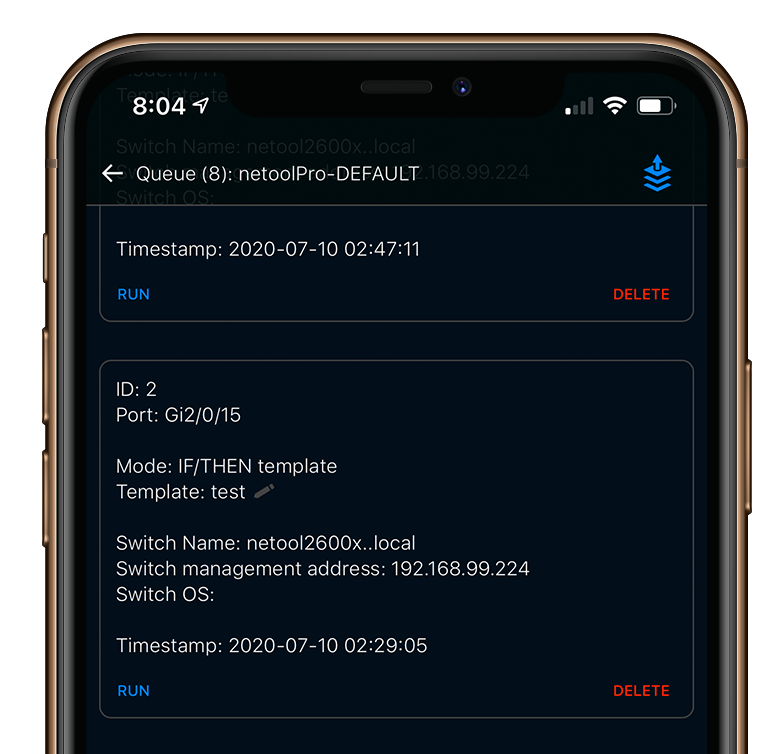
SSHでNW機器・サーバを自動configuration
|
|
LLDP/CDPの情報を収集して
configurationに利用可能 (Pro版) Information such as management information (CDP/CDPv2/LLDP) of network devices such as routers, L2SW, L3SW, and FW can be automatically collected and saved and used to automate settings later. Add comments, review and reuse history on your smartphone, tablet, and cloud. |
|
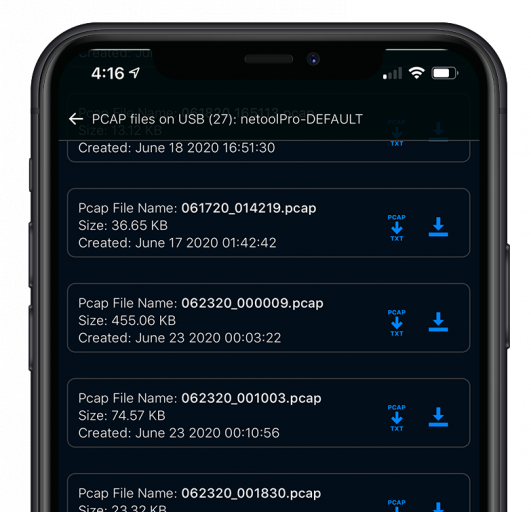
パケットキャプチャ
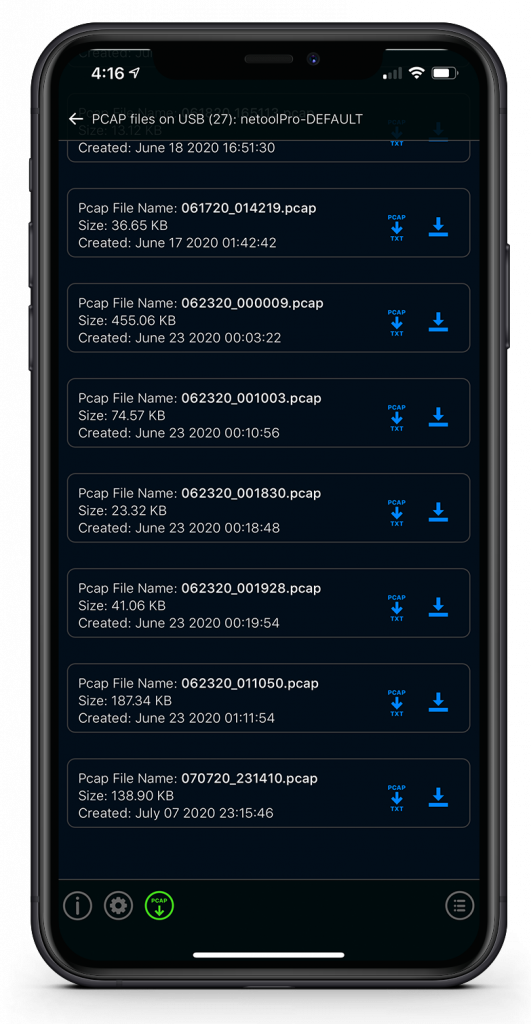
キャプチャフィルタ USBドライブへの保存 (Pro版) Netool itself can capture packets of the target network and save the pcap file to the USB memory attached to the main unit. You can apply filters such as HTTP to the trace file (pcap). You can also convert it to text and save it. |
|
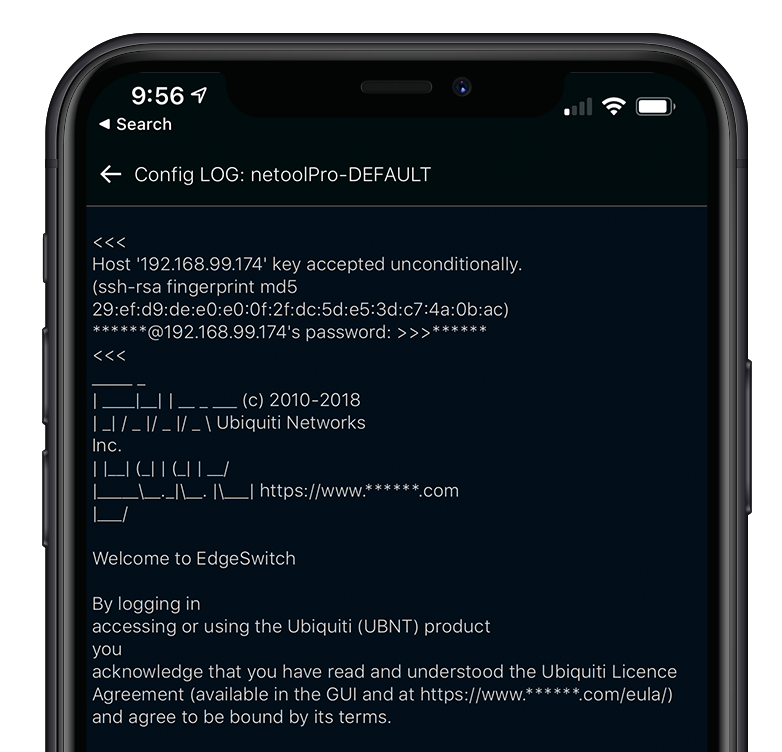
ログの保存・確認・共有
(Pro版)
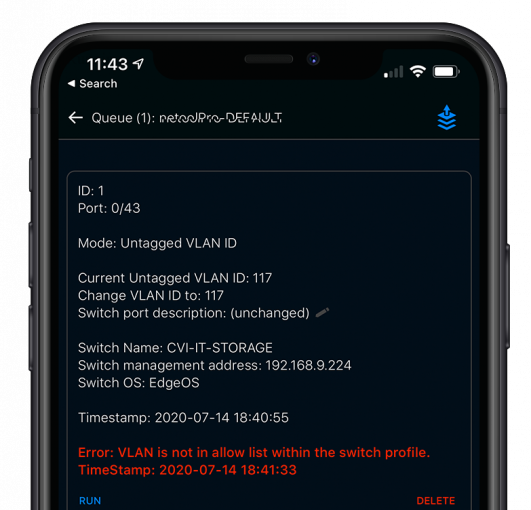
Logs of all NW device connection operations (SSH) performed with Netool are automatically saved and can be checked on smartphones, tablets, and the cloud. You can share the acquired logs via email, SNS, text, etc. All passwords in the log are detected and masked before being saved. |
|
セキュリティ機能
(Pro版)
SSH connection settings to network devices cannot be edited and can be restricted. You can enable/disable the IF/THEN function. You can set the VLAN ID range. |
|
インポート・エキスポート機能
(Pro版)
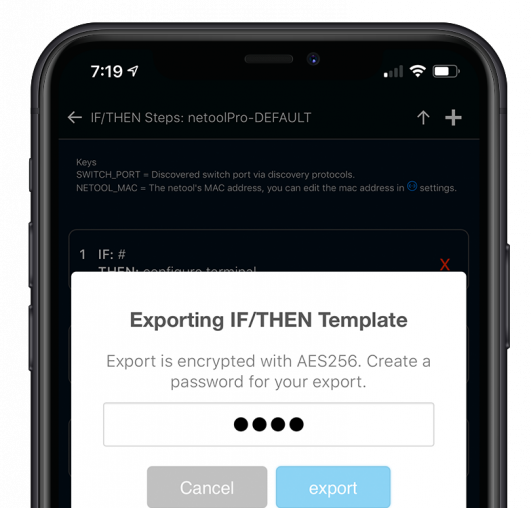
When using multiple netool.io, connection settings and IF/THEN processing can be encrypted with AES128 and imported and exported (in WiFi mode) |
Hardware

|
USB-C charging port
|
Introduction video Youtube(日本語) Youtube(英語)
Software


For details inquiry ください。