|
Wireless LAN Packet Analysis Seminar by Wireshark
(Code: Wireshark-7)
Packet Capture and Spectrum
Analysis Seminar for Wireless LAN (IEEE802.11).
Use Wireshark4 series
For capture
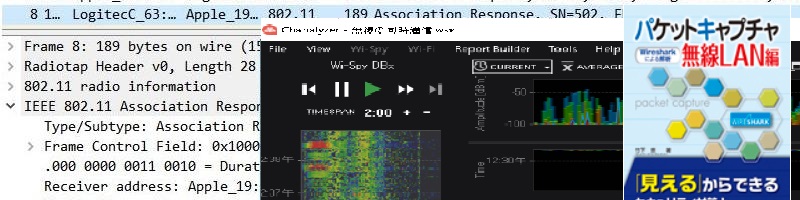
CommViewForWiFi
EyeP.A(Chanalyzer6)
We will introduce Linux monitor mode and others in
practice.
Capture
tools and spectrum analyzer
will be distributed for a separate fee. | 1 day
(10:00-18:00) |
Measure and capture wireless LAN all in one day
IEEE802.11 dump analysis, visualization and analysis method
Learn WPA1/2 encryption and troubleshooting
Acquire wireless LAN analysis techniques
Check the physical layer spectrum with a spectrum analyzer
Analyze external waves and interference.
In the data link layer, CommView For WiFi
EyePA(Chanalyzer6) Capture with Linux
Obtain IEEE802.11 frames with Wireshark,
Learn about operation and troubleshooting.
In security, you will learn about wireless LAN security by analyzing WPA2/WPA3 using open source tools. |
★Distribution
・Riverbed Technology
AirPcapTX or equivalent accessory included
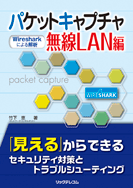
・Published by Rick Telecom
「Packet Capture for Wireless LANs with Wireshark」by Megumi Takeshita
・Resume material
・CD-ROM
・USB memory
・Ikeriri bag |
|
Practical training on the physical layer, data link layer, and security of wireless LAN using a spectrum analyzer, packet capture tool, Wireshark, etc. (compatible with Wireshark 4.X)
Perform spectrum analysis in the 2.4/5/6 GHz band using a spectrum analyzer to check external waves, DFS, interference, etc. and learn physical layer analysis methods.
Packet capture tool (CommView For WiFi) Acquire IEEE802.11 frames using Eye P.A. (Chanalyzer6) and Linux) and learn how to troubleshoot protocol operations, communication state transitions, and trend analysis techniques.
Actually use Wireshark4 and open source tools to capture and decrypt WPA2/WPA3, and learn security techniques, threats, and vulnerabilities.
*We strongly recommend that you take the introductory seminar on packet capture and trend analysis. |
Orientation
1: Customizing Wireshark
1-1 Latest Wireshark update
1-2 Customizing Wireshark for debugging
1-3 Radiotap header and PPI header
1-4 Wireshark display filter and capture filter for wireless LAN
2: Spectrum analysis of 2.4/5/6GHz band
2-1 Introduction and confirmation of spectrum analyzer
2-2 Spectrum analysis of 2.4GHz/5GHz band
2-3 Topology display, time series display, signature confirmation
2-4 Site survey
2-5 Interference/Interference and Throughput
3: IEEE802.11 Packet Analysis
3-1 Metageek Eye P.A. AirPcap Series
3-2 Wireshark settings Radiotap header and PPI header
Other capture methods on Windows npcap
Capture method on Linux
Capture method on MacOS
3-3 IEEE802.11 physical layer header
3-4 IEEE802.11 MAC layer header
3-5 Investigation of simultaneous communication and retransmission
|
3-6 Packet capture until connection
3-7 IEEE802.11 state transition and analysis
3-8 IEEE802.11 trend analysis and troubleshooting
3-9 Difficulties in capturing MIMO
3-10 Wireless LAN analysis
3-11 Capture by command
3-12 Capture only necessary frames
3-13 Wireless LAN statistics (visualization)
3-14 Wireless LAN troubleshooting
4: WPA2/3 encryption/decryption
4-1 WPA2/3 and IEEE802.11i
4-2 WPA2/3-PSK (PSK/PMK/PTK)
4-3 4-way handshake
4-4 WPA2 capture and decoding
4-5 2-way handshake (GMK/GTK)
4-6 Aircrack-ng and Cain
4-7 Rainbow attack and aircrack-ng
4-8 Various dictionary creation/WPA2 encryption
4-9 KRACKS and other latest information
4-10 WPA3 Overview and packet explanation
Appendix: WPA2/3-Enterprise
Appendix: IEEE802.11ax packet analysis
Appendix: AP search by InSSIDer for Office
|