IEEE 802.11ac compatible packet capture Acrylicwifi Sniffer

This page keeps all original information and links. Japanese page


Wireless LANパケットキャプチャ Acrylic WiFi Sniffer IEEE 802.11accompatible
スペイン AcrilicwifiInc.のauthorized distributor となりました。→ 公式リセラー
Acrylic WiFi シリーズ Acrylic WiFi Professional
Acrylic WiFi Heatmap
Currently not available. Please consider CommView For WiFi
Sniffer
Wireless LANパケットキャプチャ Acrylic WiFi Sniffer IEEE 802.11accompatible

いけりり★networkサービスでは、 スペインのAcrylic WiFiInc. のauthorized distributor業務・support・保守を行っております。 AcrylicwifiInc. との技術提携関係のもと、直接海外から購入されるよりも安く代理店価格でご提供できるだけでなく、豊富なパケットキャプチャ関連技術のもと、保守やsupportも行っております。大学や研究所の方もぜひinquiryくださいませ。
現在取扱を停止しております。 CommView For WiFi をご検討ください

Sniffer

Wireless LAN packet capture software Acrylic Wi-Fi Sniffer

Currently not available. CommViewForWiFiを検討ください

Acrylic WiFi Snifferはモニターモードのパケットキャプチャドライバを用いて、2.4GHz/5GHzのIEEE 802.11acにcompatibleしたPacket Capture Toolです。Wiresharkとの連携にもcompatibleします。

Acrylic Wi-Fi Snifferでは多くのWireless LANカードにcompatibleしており、IEEE802.11a/b/g/n/ac 3x3:3のパケットキャプチャを行うこともできます。
*Note: Depends on compatible adapter.

*The specs say 160MHz, but depending on the environment you may not be able to capture it properly. We recommend that you test it using the trial version. Authentication using electronic certificates requires two activations and cannot be moved or restored, but since it is very inexpensive, I think it is an option for those who want to use it at their own discretion.

Compatible with Wireshark3.x, you can easily obtain packets on Windows.

Acrylicwifi Sniffer
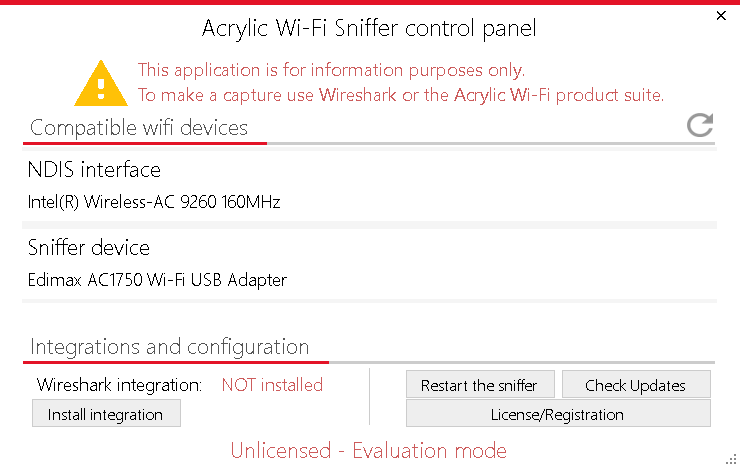
Startup screen

NDIS interface
(
1 stream capture according to Microsoft specifications)

and Sniffer device
(compatible adapter)
According to the specifications,
can be captured up to 160MHz, but it depends on the limitations of the
adapter
(Similar to EyePA and TamoSoft's
, Tarlogic's
monitor mode driver is used as
.)

was recognized and displayed.

Click the “Install integration” button to integrate with Wireshark.

AcrylicWiFi Sniffer panel

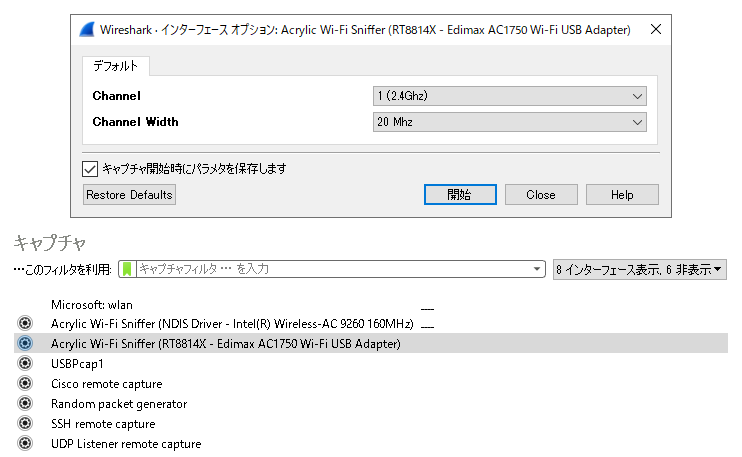
Start Wireshark3.x with administrator privileges.


"Acrylic Wi-Fi Sniffer
(interface name)"
are displayed in the list of interfaces.

*NDIS is 1 stream
Sniffer device is
It depends on the device, but there are some peculiarities
Please be careful.

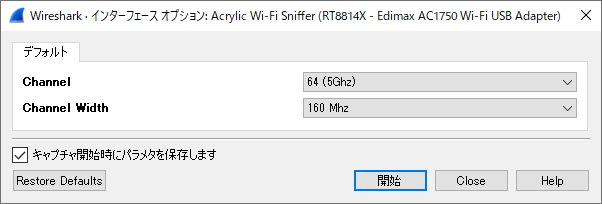
Now, double-click the interface settings section " Config " and the screen shown above will be displayed.

The capture channel is displayed in "Channnel" and the bandwidth is displayed in "Channnel Width".

You can capture by selecting the channel and bandwidth.

*Note: Please note that even if the dialog is displayed in accordance with the vendor's specifications, it may not always be possible to capture it exactly as specified. We strongly recommend that you use the trial version to check it in a real environment. Emphasis on stability

*Unfortunately, in our environment, we were able to recognize the interface and select the channel and band using the Edimax EW-7833UAC, but we were unable to capture packets. I think it depends on the Windows environment etc. I can't offer much support, but I think it's an option for people who want to use it.

Wireshark

acrylicwifi sniffer
Edimax EW-7833UAC example It is actually a 3x3:3 adapter.
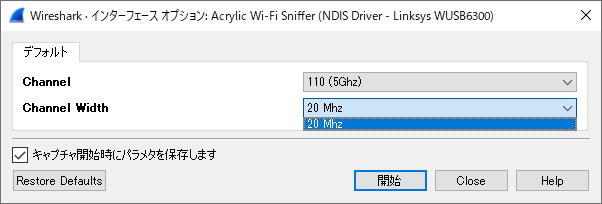
Fail
Depending on the adapter, the band may not be selected properly. (Example of Linksys WUSB6300)
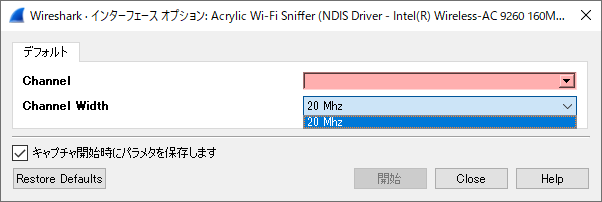
Fail
It may not be possible to select channels etc. with the NDIS interface.

+Acrylic WiFiおよび推奨Wireless LANカード
Acrylic WiFi Acrylicwifi Professional and Acrylicwifi Sniffer adapters are introduced in 公式ページ . → hereを参考にしてください

Currently not available. Please consider CommView For WiFi

Recommended wireless LAN card

Acrylicwifi Sniffer Recommended
Wireless LAN adapter

Compatible band
(Note manufacturer specifications)
*Actual may vary

2.4GHz

5GHz

SNR acquisition

Alfa Network AWUS1900

20/40/80/160

IEEE802.11b/g/n IEEE802.11a/n/ac OK

COMFAST CF-958AC

20/40/80/160

IEEE802.11b/g/n IEEE802.11a/n/ac OK

ASUS USB-AC68

20/40/80/160

IEEE802.11b/g/n IEEE802.11a/n/ac OK

D-Link DWA-192

20/40/80/160

IEEE802.11b/g/n IEEE802.11a/n/ac OK

Edimax EW-7833UAC

20/40/80/160

IEEE802.11b/g/n IEEE802.11a/n/ac OK

TP-Link Archer T9UH

20/40/80/160

IEEE802.11b/g/n IEEE802.11a/n/ac OK

Example of displaying an IEEE802.11 frame on Wireshark

Main activities related to Wireshark (Sharkfest, etc.)

Wireshark developer Gelard Comb and
Laura of Wireshark University at the Wireshark developer conference Sharkfest'08 Ikeriri with Mr. Chapel★Network Service Megumi Takeshita
I have been participating every year since 2008. Our company's Takeshita will finally give a lecture in 2012!

Click here for Wireshark related information

In addition to my main works, AirPcap, I also maintain and support Wi-Spy and Wireshark! Thank you very much for your support.
★ Main books on Wireshark
Wireshark入門 Wireshark応用 Wireshark入門改訂版 Wireless LANパケキャプ
パケットキャプチャ入門 ― LANアナライザ Wireshark 活用術 ― Written by Megumi Takeshita
B5 size 344 pages List price: 2,940 yen (tax included) 2,800 yen + tax ISBN: 978-4-89797-678-5
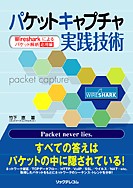
パケットキャプチャ実践技術 -- Wiresharkによるパケットanalysis応用編 -- Written by Megumi Takeshita
B5 size, 432 pages List price: 3,570 yen (tax included) (Base price: 3,400 yen + tax) ISBN: 978-4-89797-796-6
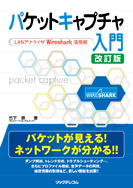
パケットキャプチャ入門 改訂版― LANアナライザ Wireshark 活用術 ― Written by Megumi Takeshita
B5 size, 408 pages Regular price: 2,940 yen (tax included) 2,800 yen + tax ISBN: 978-4-89797-875-8
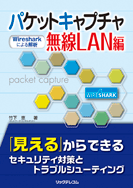
パケットキャプチャWireless LAN編 ― Wiresharkによるanalysis ― Written by Megumi Takeshita
BB5 size 400 pages Regular price: 3,600 yen + tax ISBN: 978-4-86594-029-9


Seminar network product educate support Ikeriri