
|
WiFianalysisソフト Acrylic WiFi Professional
Currently not available. Please consider
CommView For WiFi
Acrylic WiFi Professional is the best WiFi analyzer that can identify APs and WiFi channels and analyze and solve IEEE802.11a/b/g/n/ac wireless network problems in real time.
A tool to control your wireless LAN performance by finding out who is connected to your office wireless LAN network, identifying AP data transfer rates, and optimizing wireless network channels.
Access detailed information about wireless networks, including hidden wireless networks, and use the NDIS monitor mode driver feature to capture packets and analyze wireless LAN device traffic, device lists, and data rate lists.
*It says it supports IEEE802.11AC, but because it is a Microsoft NDIS driver-based product, it can only acquire one stream due to MS specifications. In addition, there are many compatibility depending on the adapter, and even those on the recommended adapter list may not be stable, or depending on the MCS, you may not be able to receive any packets at all. I end up hopping on my own and changing channels. (Help PDF attached) Recommended adapter list is below. https://www.acrylicwifi.com/en/support/compatible-hardware/ However, if you consider compatibility, you may be able to use it successfully. If you are interested, you may try the trial version. However, please note that we are unable to provide support due to the reasons stated above. *Slight improvements have been made in the latest version.
Compatible with AirPcap series Stable operation with AirPcap Classic TX NX.
|
|
Documents
|
Help file
Acrylic-WiFi-Professional-Help-English-2016
|
|
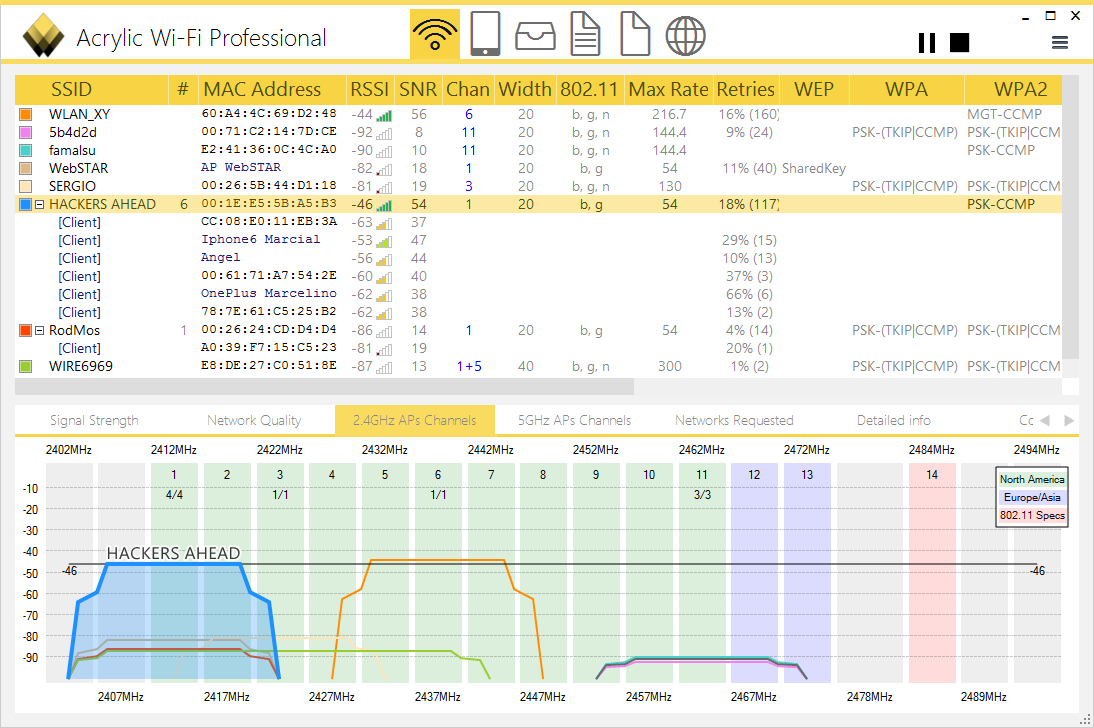
Wireless information investigation
As a wireless LAN AP detection tool, you can display and analyze
SSID, MAC address, RSSI, SNR, channel, band, IEEE standard, maximum speed,
再送率、
security status, vendor name, etc. in the 2.4GHz and 5GHz bands.
The signal of each AP can be compared and investigated at the same time using the diagram for channel and signal strength.
|
|
|
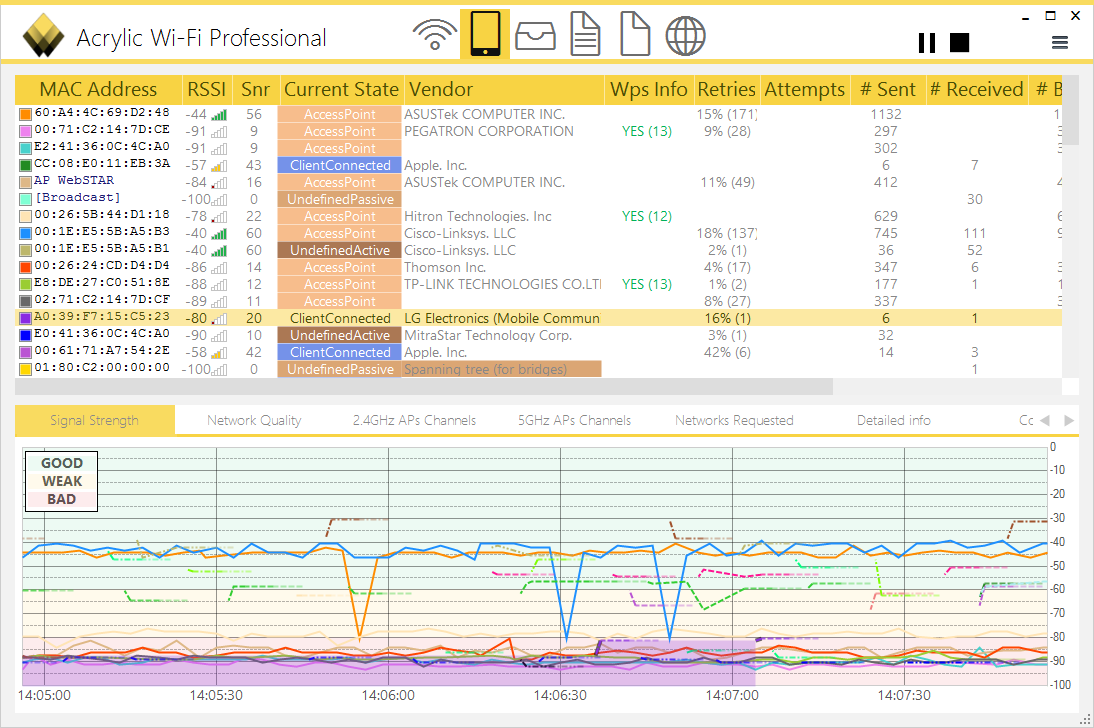
Investigating device information
You can display and analyze information such as MAC address, RSSI, SNR,
現在の動作状態
, vendor, WPS information,
再送率
, connection attempts,
パケットの送信数
,
パケットの受信数
,
エラー数
of each wireless LAN AP.
At the same time, you can compare and investigate the terminal signal status and judgment (good, weak, bad) over time.
|
|
An NDIS monitor mode driver is included, and by operating with the monitor mode driver, it is possible to acquire one stream of packets. It is also possible to recognize the interface and retrieve packets with Wireshark.
カードはチップセットやベンダに依存します
.
|
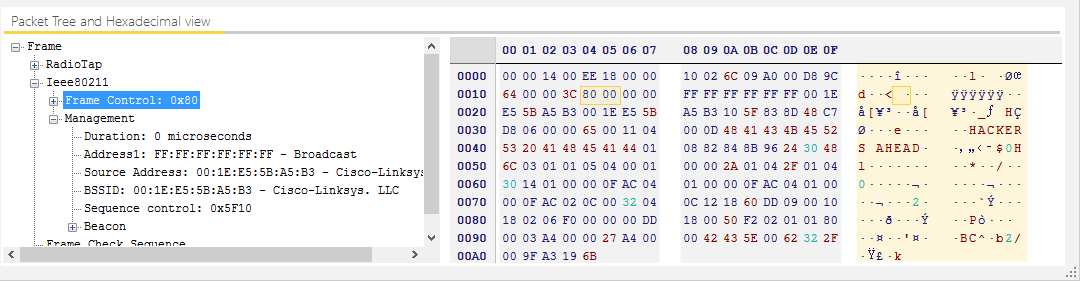
Operation in monitor mode is unstable depending on the environment, so testing with a WLAN card is required in the trial version. (
AirPcapシリーズ
is recommended.) *IEEE 802.11ac (1 stream) is currently not available.
|
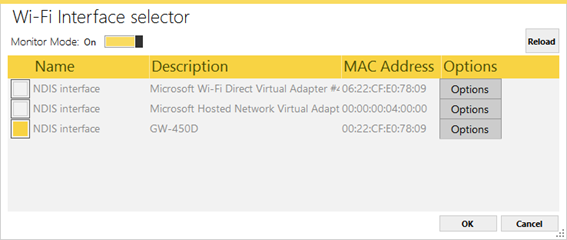
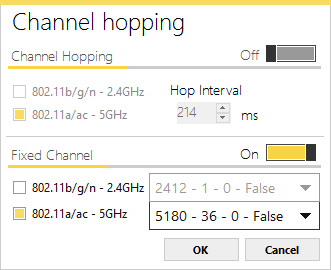
Acrylic On the WiFi side, you can install the NDIS monitor mode driver on the wireless LAN card (only one stream can be captured) and configure settings in monitor mode. (However, it could not be controlled correctly from Wireshark.)
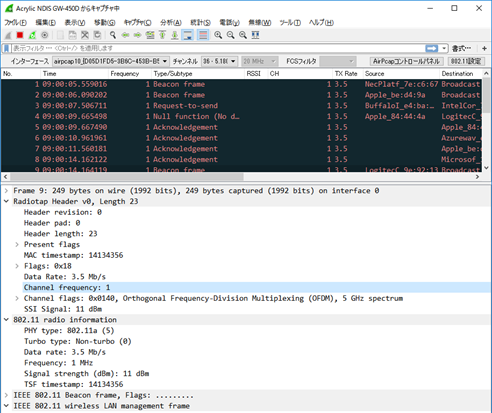
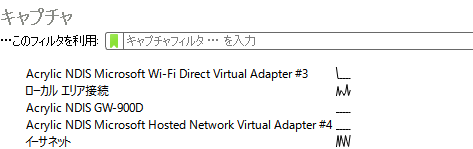
Specify CH and hopping on the Acrylicwifi Professional side Wireshark recognizes the interface and displays it on the wireless toolbar, but
CH cannot be controlled. Only hopping worked.
|
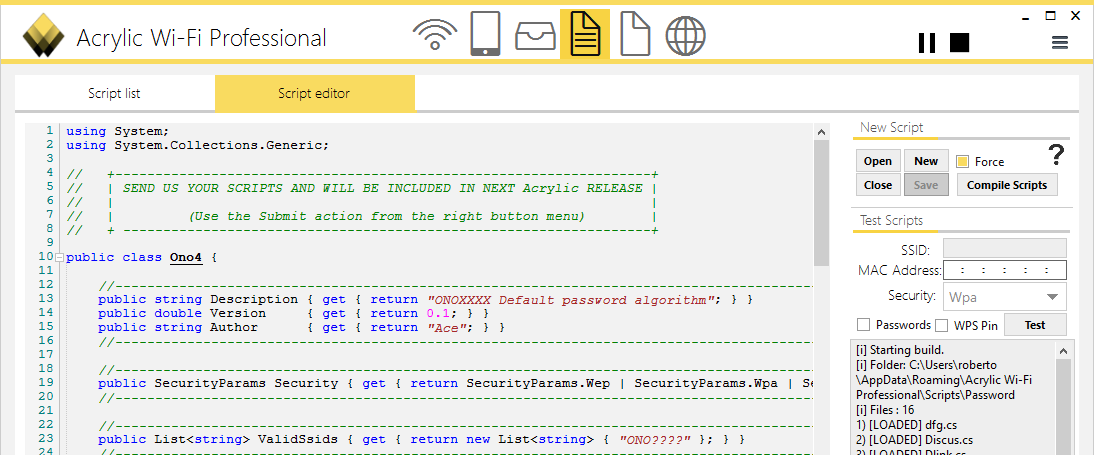
Using the script function for developers, it is possible to program and automate various processes.
|
|
+Acrylic WiFiおよび推奨Wireless LANカード
Acrylic WiFiはスペインのWireless LANtoolを提供・販売する会Inc.です。いけりりnetworkサービスは
AcrylicWiFiInc.のauthorized distributor
として販売、support、保守を行っております。
Currently not available. Please consider
CommView For WiFi
NDIS driver and recommended wireless LAN card
|
Chipset/model
|
Driver / WLAN Card details
|
Packet capture
|
Signal levels
|
|
Dell wireless 1702 b/g/n
|
integrated with Dell vostro
|
★★★
|
★★
|
|
Ralink RT2870/3070 / Alpha
|
external usb
|
★★★★
|
no
|
|
Qualcom Atheros AR5BMD222 b/g/n
|
Integrated Acer Iconia W700P( Drv 10.0.0.270)
|
★★★★
|
★★★★
|
|
D-Link DWA-182 Revision A1 a/g/n/ac ( Broadcom BCM43526 )
|
external usb
|
★★★★★
|
★★★★★
|
|
Asus USB-AC53 (Broadcom BCM43526
Nano NOT supported
)
|
externa usb
|
★★★★★
|
★★★★★
|
|
D-Link Wireless G DWA-110 b/g ( RT73 chipset )
|
external usb
|
★★★★★
|
★★★★★
|
|
Atheros AR9485WB-EG b/g/n
|
lenovo laptop (internal)
|
★★★★
|
★★★★
|
|
UBIQUITI SR71 USB
|
With driver 3.5.0.4. (FCS invalid)
|
★★★
|
★
|
|
Proxim 8494-WD
|
ORiNOCO 802.11a/b/g/n (
driver 2.2.0
)
|
★★★
|
★
|
|
Cisco Linksys AE3000
|
driver 3.2.8.0 (packets with wrong FCS)
|
★
|
no
|
|
Edimax AC1200
|
driver 1.0.16
|
no
|
no
|
|
Edimax AC 600
|
n/a
|
no
|
no
|
|
TP-LINK TL-WN722N v1 (v2 NOT supported)
|
Con
driver 2.0.0.62
|
★★★★
|
★★★★
|
|
NetGear A6200
(Broadcom)
|
1.0.0.26
|
★★★★★
|
★★★★★
|
|
NetGear WiFi A6210 (Broadcom)
|
n/a
|
★★★★★
|
no
|
|
Intel Centrino Wireless-N 1030 B/G/n
|
internal card
|
★★★★
|
★★★★
|
|
Atheros AR9002WB-1NG (internal card)
|
9.2.0.206
|
★★★★
|
★★★★
|
|
Broadcom
BCM94352HMB 802.11ac 2×2 WI-FI Adapter
|
Driver 6.30.223.170 2013.09.06 (not verified)
|
★★★★
|
★★★★
|
|
D-Link DWA-645 agn – AR5416
|
Driver 6.30.223.170 2013.09.06 (not verified)
|
★★★★
|
★★★★
|
|
AR5008X ABGN (integrada DELL)
|
n/a (not verified)
|
★★★★
|
★★★★
|
|
RTL8187 chipset (bg)
|
n/a (not verified)
|
★★★
|
★★★
|
|
Atheros 802.11a/b/g/n
|
AR5B97 (tested with driver 9.2.0.439)
|
★★★
|
★★★
|
|
Atheros AR5B95
|
AR5B95 (tested with drv 9.2.0.412)
|
★★★
|
★★★
|
|
Belkin F9L1106az v1
|
Tested with driver 6.30.61.21 and Windows 10 x64
|
★★★★★
|
★★★★★
|
|
BT 11ac Dual Band Wi-Fi Dongle 900
|
Driver 6.30.145.9 en Windows 10 x64
|
★★★★★
|
★★★★★
|
|
Buffalo AC866 N300 Dual Band Wi-Fi Dongle (WI-U2-866D)
|
Driver 6.30.145.9 en Windows 10 x64
|
★★★★★
|
★★★★★
|
|
Linksys AE2500
|
external usb
|
★★★★★
|
★★★★★
|
Example of displaying an IEEE802.11 frame on Wireshark
Main activities related to Wireshark (Sharkfest, etc.)

Wireshark developer Gelard Comb and
Laura of Wireshark University at the Wireshark developer conference
Sharkfest'08
Ikeriri with Mr. Chapel★Network Service Megumi Takeshita
I have been participating every year since 2008. Our company's Takeshita will finally give a lecture in 2012!
→
Click here for Wireshark related information
In addition to my main works, AirPcap, I also maintain and support Wi-Spy and Wireshark! Thank you very much for your support.
★ Main books on Wireshark


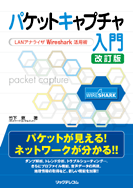
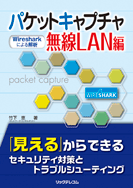
パケットキャプチャ入門 ― LANアナライザ
Wireshark 活用術 ―
Written by Megumi Takeshita
B5 size 344 pages List price: 2,940 yen (tax included) 2,800 yen + tax ISBN: 978-4-89797-678-5
パケットキャプチャ実践技術
-- Wiresharkによるパケットanalysis応用編 --
Written by Megumi Takeshita
B5 size, 432 pages List price: 3,570 yen (tax included) (Base price: 3,400 yen + tax) ISBN: 978-4-89797-796-6
パケットキャプチャ入門 改訂版― LANアナライザ
Wireshark 活用術 ―
Written by Megumi Takeshita
B5 size, 408 pages Regular price: 2,940 yen (tax included) 2,800 yen + tax ISBN: 978-4-89797-875-8
パケットキャプチャWireless LAN編 ― Wiresharkによるanalysis ―
Written by Megumi Takeshita
BB5 size 400 pages Regular price: 3,600 yen + tax ISBN: 978-4-86594-029-9
|